New Computer Requests:
Field Users (New Hires or Additional hardware at location) - Order via Oracle Requisition-Computer Hardware Store
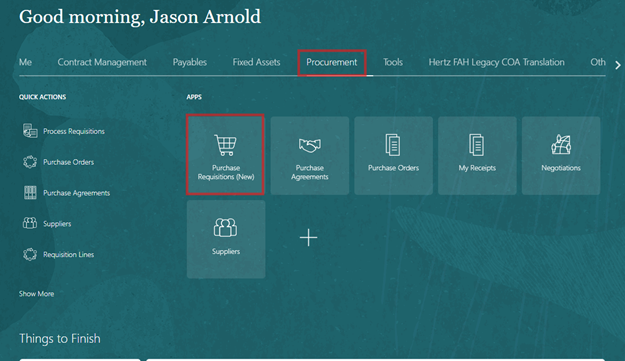
Log into Oracle and Click on Procurement>Purchase Requisitions (New) Tab.
Click on the Computer Hardware Store
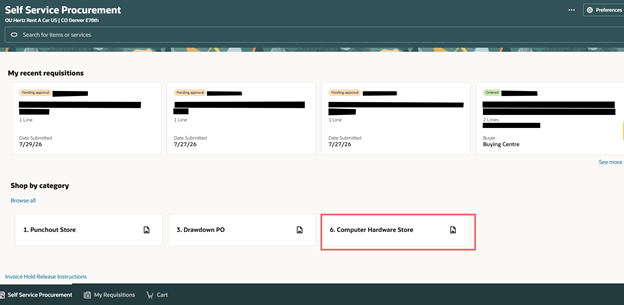
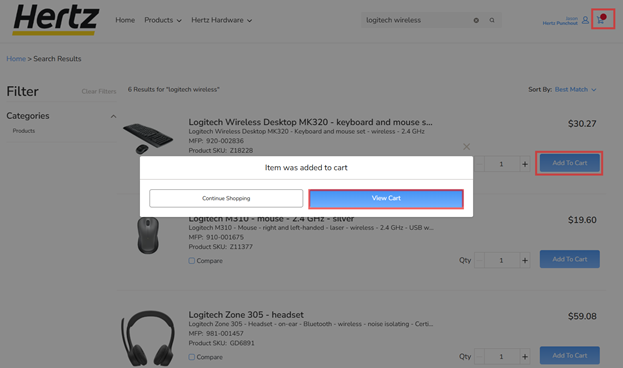
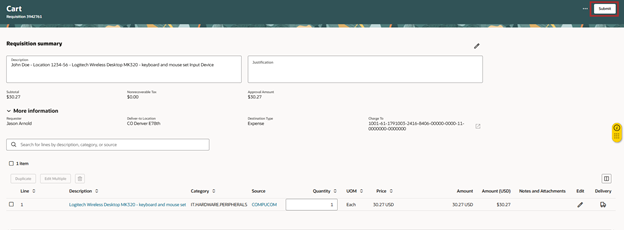
This will take you to the Marketplace. Search for the item(s) needed, add them to your cart, then either click on the Cart or click View Cart to Get to the Cart/Summary screen.

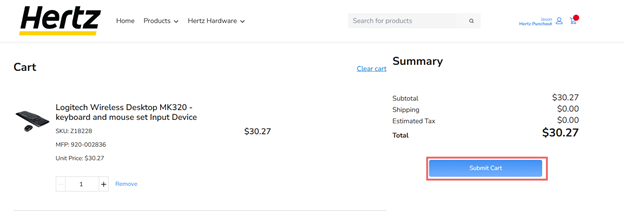
If everything looks correct click on Submit Cart which will take you back to Oracle to finish the order.
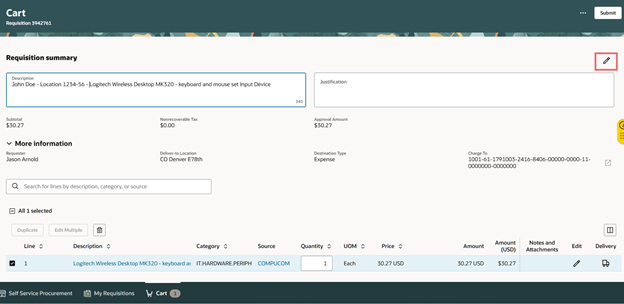
Add a Description to the requisition, Confirm the requestor, Deliver to Address, and Charge to account are all correct. If they need to be changed then click on the pencil on the right side of the screen.
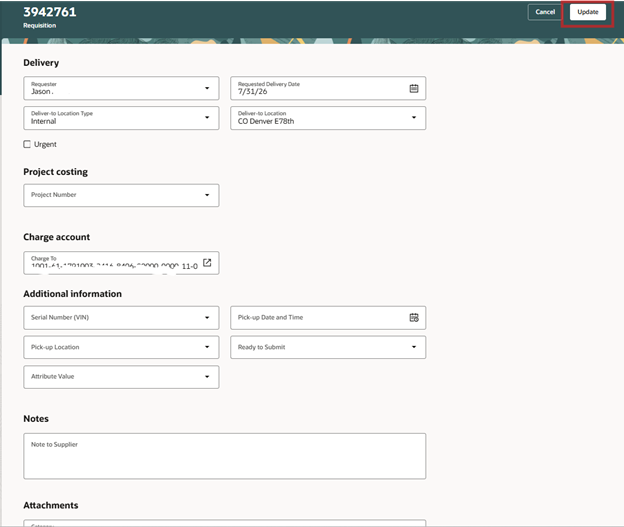
From here you can update the requisitions information. Once completed click Update on the top-right side.
Then hit Submit
Corporate New Hires - Order via Hardware Request Form in ServiceNow
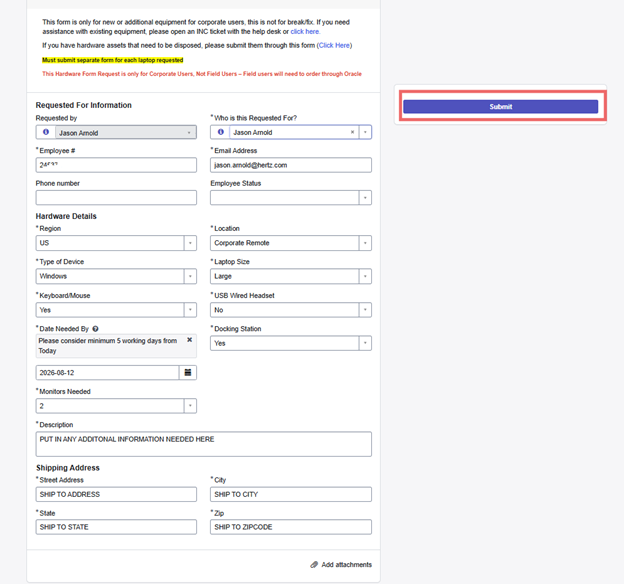
Go to the Corporate Hardware Request Form page and complete the form. (NOTE: The example below is a generic and does not necessarily represent how to place your exact order)
Existing Computer/Hardware Issue
Open Help Desk ticket
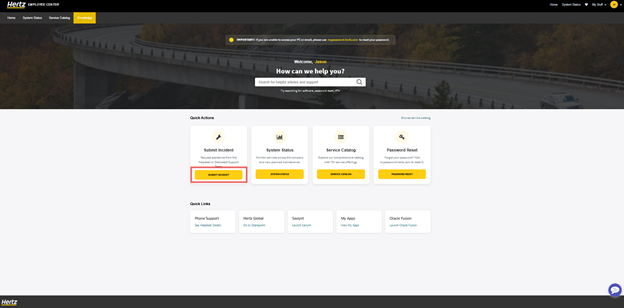
To open a Help Desk Ticket, you will need to navigate to Service Now Employee Center.
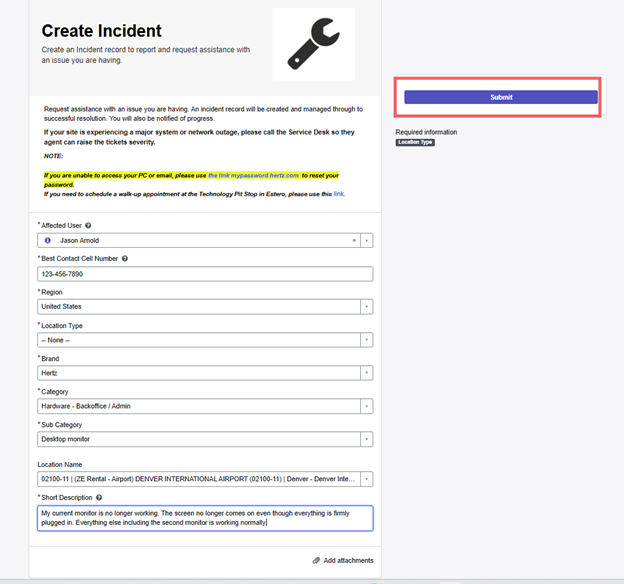
Click on Submit Incident and complete the Incident Form, then hit Submit.