


Reassign Requisition Entered By Name
To update the Requisition Entered by Name follow the steps when you need to edit a requisition that is not your own, or the person has left the company.
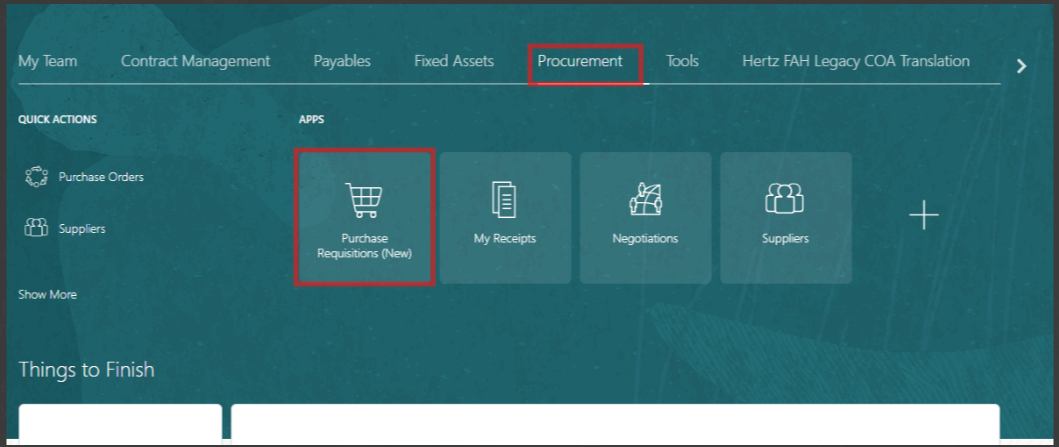
- On the Oracle Cloud homepage, Select Procurement.
- Click Purchase Requisitions (New).
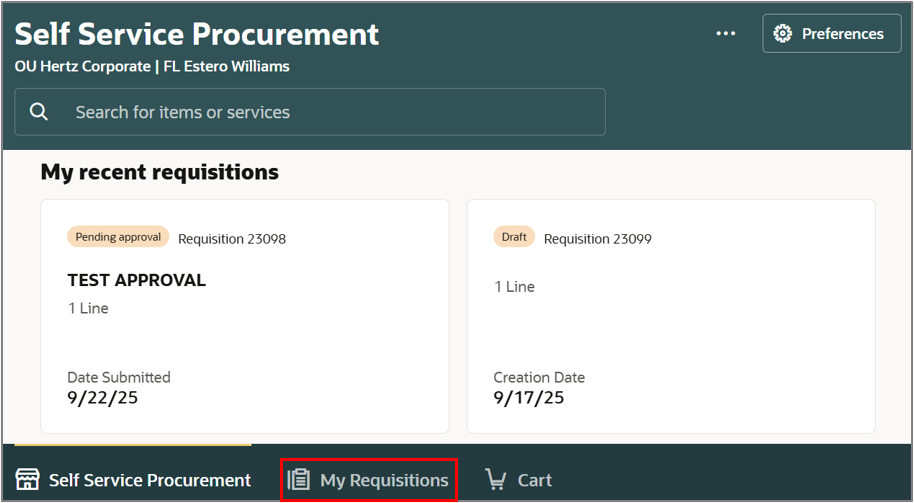
- Select My Requisitions.
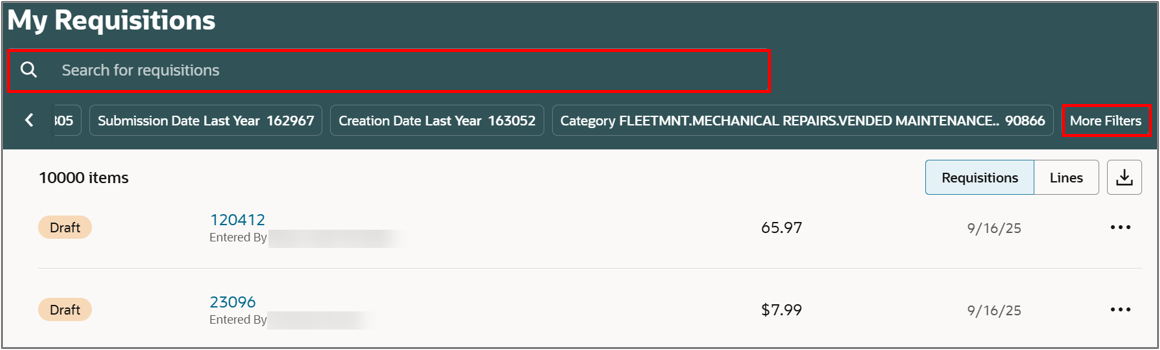
- Search for the requisition in the Search bar. ALTERNATIVELY
- Use More filters to filter for a specific requisition.
Note: If any specific keyword needs to be searched, use double quotations to get specific results.
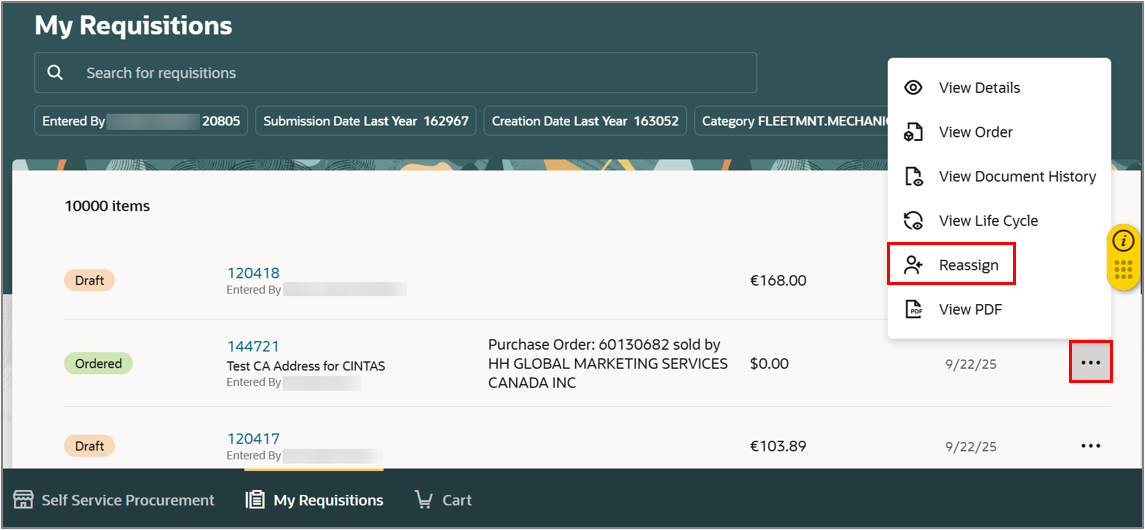
- Select the Ellipsis icon (three dots) against the chosen requisition.
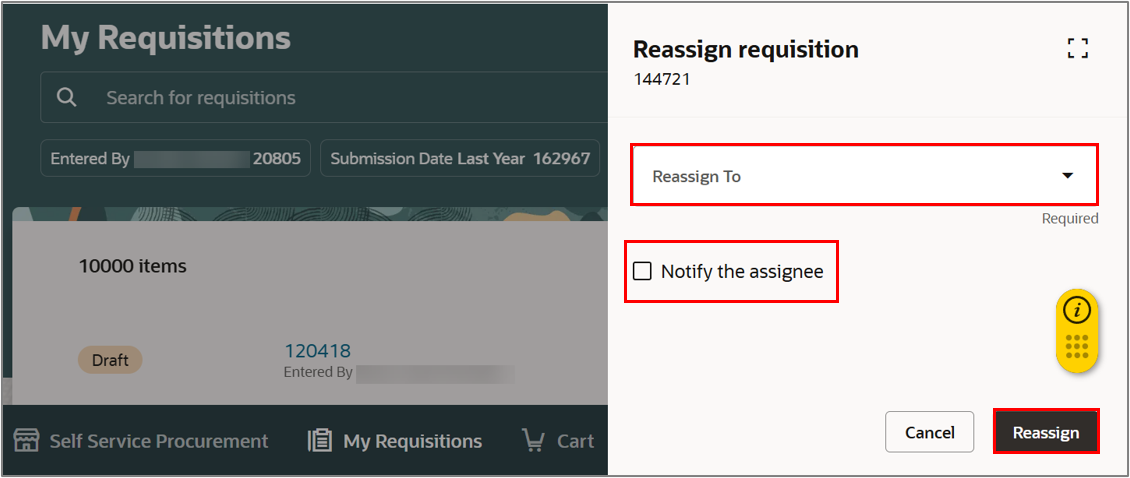
- Select Reassign.
- Enter the name (first and last) of the new preparer in Reassign To field.
- Tick the Notify the assignee checkbox, if you want to notify the new preparer.
- Select Reassign.
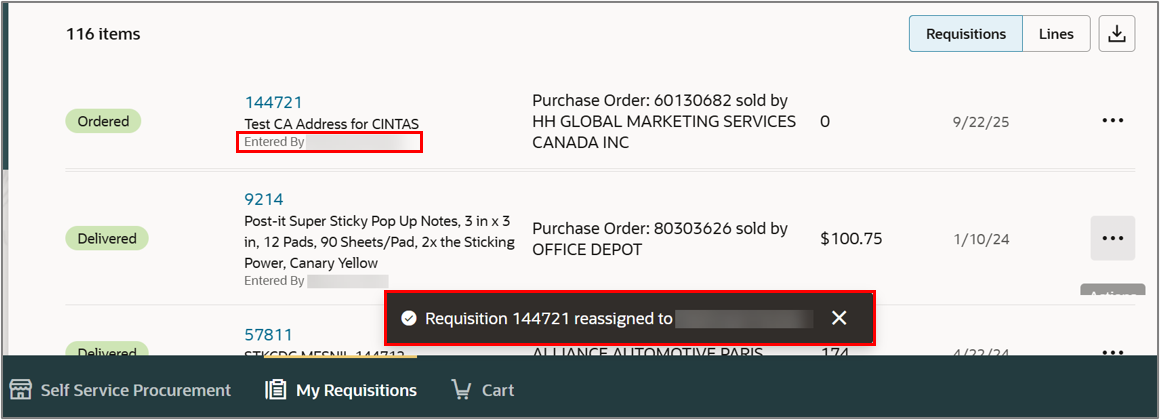
- A message appears mentioning to whom the requisition was assigned.
- You can also view the change in Entered By name.
In case you need to reassign a requisition for a temporary time and assign it back to original entered by, follow the above steps.
To request a mass update of requisitions due to employee change, contact [email protected] for assistance.
This completes the Update Requisition Entered by Name process.
In case you need to reassign a requisition for a temporary time and assign it back to original entered by, follow the above steps.
To request a mass update of requisitions due to employee change, contact [email protected] for assistance.
This completes the Update Requisition Entered by Name process.
Attached is word doc if you need to save it for later use.


