


Oracle Profile Updating

Last updated: Jun 02, 2026
290
views

How to add a phone # to Oracle Profile so supplier will receive a contact phone # for shipping issues or questions.
**Most users have <Blank>/NO phone # for “Work Phone” **
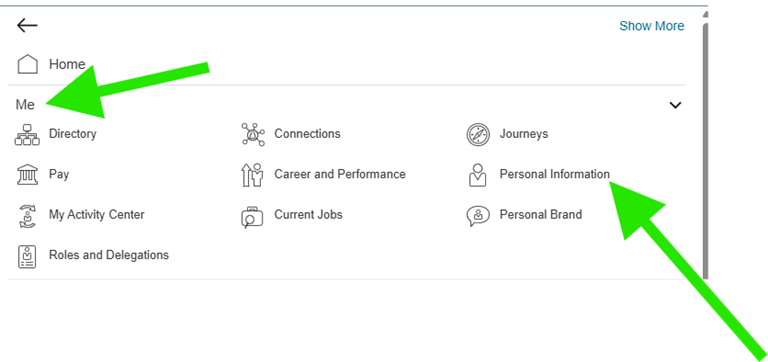
- After logging into Oracle, Click the 3 lines at the top left of the screen.

- Choose “Me” and “Personal Information”.
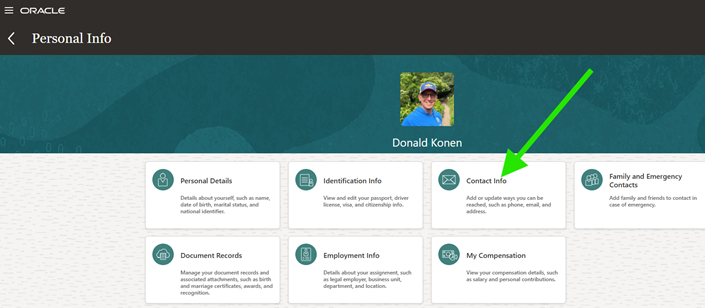
- Click on “Contact Info”.
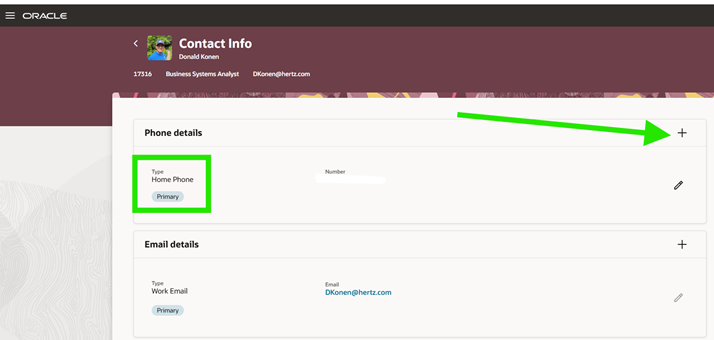
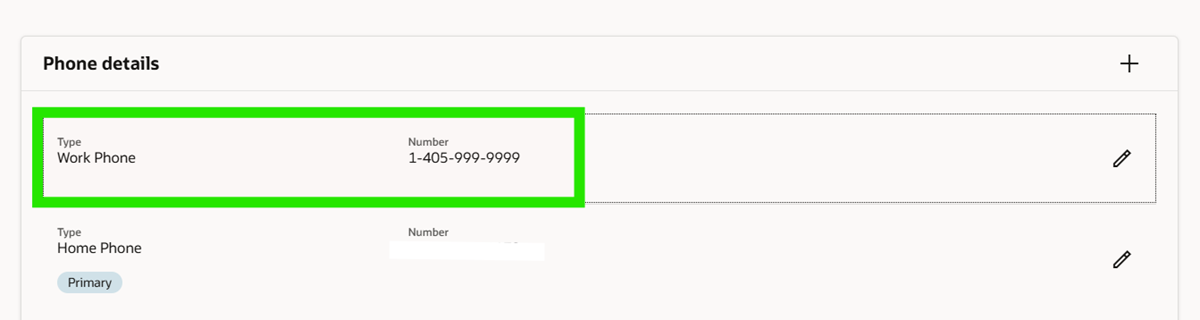
- Under “Phone details” you may or may not have several phone numbers.
- If you have a “Work Phone” or a “Work Mobile Phone” you are good and do not need to proceed.
- If you do not have a “Work Phone” click the “+” sign to add a “Work Phone”.
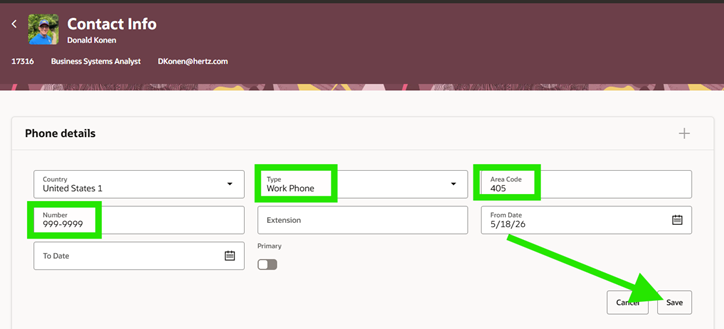
- Select “Work Phone” under “Type” and then enter the “Area Code” and “Number” fields for the phone # that you can be reached at with a shipping problem.
- This could be the location phone # or your work cell phone #...that is up to you. Then click Save.
- The “Work Phone” information will be passed to the supplier on Punchout Orders and will give them information to contact you with any issues or questions with the delivery of your items.
See below attachment, to download a copy of this document.


