


 11
11
Cancel a Line on a PO
POs or lines cannot be canceled when a receipt or invoice is applied to the PO or line.
View the PO details before attempting to cancel a line.
When a line has a receipt against it without an invoice, it needs to be corrected: Go to My receipts, manage receipts, correct the receipt on that line to zero. For steps use this link to guide: How to correct-a-receipt
When a line has invoice applied, check the invoice pdf to determine if there is an error. For invoice application errors: email AP at [email protected] ask they rematch the invoice to correct the line mismatch.
For additional questions or help contact the buying center at [email protected]
Reminder: once a line is canceled it cannot be recovered or undone.
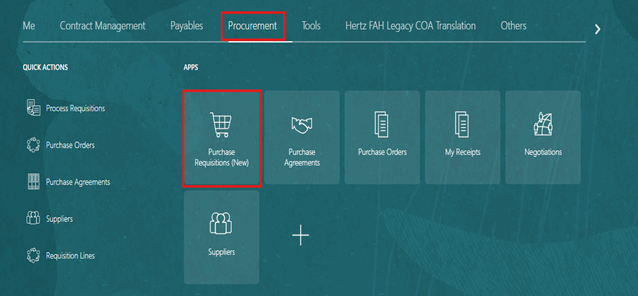
Go to Oracle> Procurement> Purchase Requisitions (New)
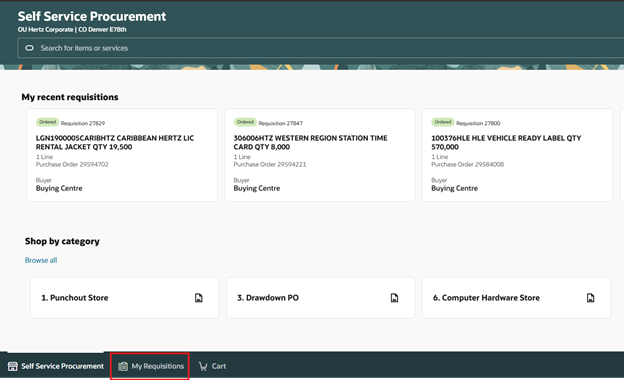
Click on my Requisitions on the bottom-left side.
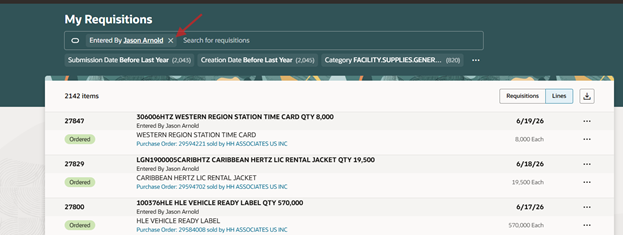
Take your name out of the search field, if necessary to locate the PO. If the PO is yours, leave your name and add the REQ or PO # next to it in the search bar.
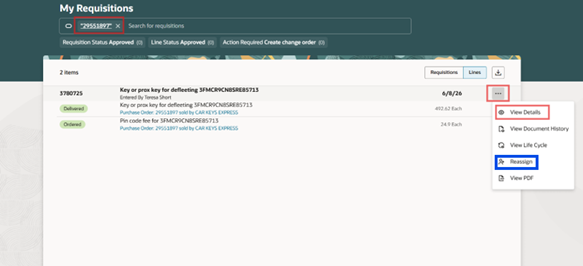
Enter PO number with quotes at the beginning and end (ensure no spaces). The quotes tell Oracle to only search for this number. Click on the ellipsis (3 dots) on the right and click View Details.
NOTE: To update another person’s requisition/PO, it must be reassigned to yourself before making the change. It can be done on this page by clicking reassign and adding your name. Remember to reassign it if necessary.
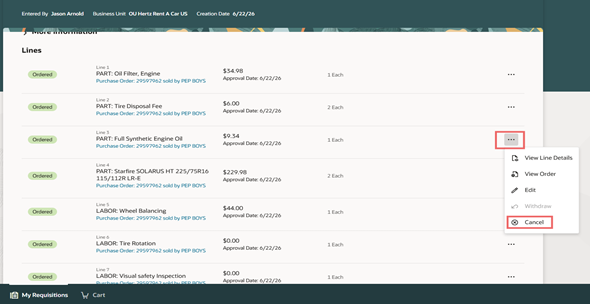
Go to the line you want to cancel and click on the ellipsis (3 dots) on the right then click cancel.
Add a reason for canceling this line then click Cancel Line.
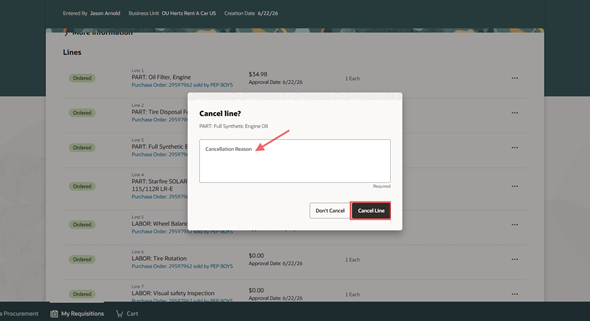
This line is now cancelled and cannot be undone.


