


Alphanumeric ship to location address
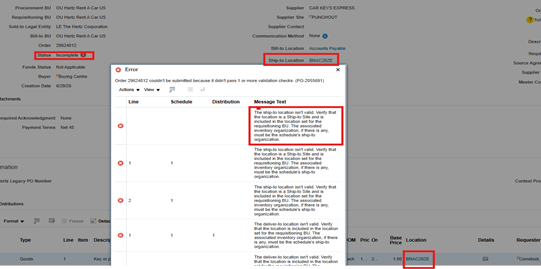
When a requisition (REQ) uses an alphanumeric ship to location code, the PO cannot process fully.
The Oracle PO only recognizes state, city and street address.
Buying Center cannot fix a punchout PO as it will not notify the supplier since it errored out.
The incomplete PO has been deleted, cancel the incorrect REQ and create a new REQ using the actual ship to address (not alphanumeric ship to location code).
Below example of a PO that could not fully complete due to alphanumeric code.
How to update your ship to location
Go to Procurement, Purchase Requisitions (New)
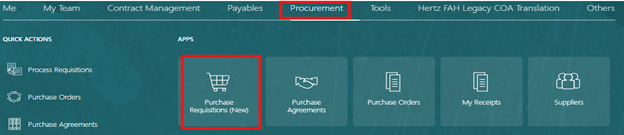
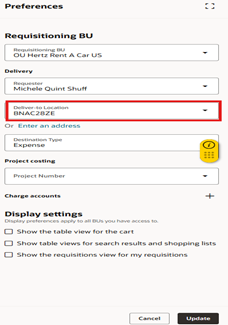
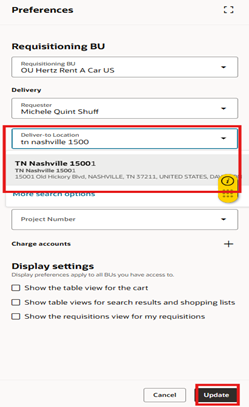
Select Preferences, wheel at the top right corner.

If you are getting a message to update your deliver to location, never use this alphanumeric code.
Ensure your address shows the State and City name.
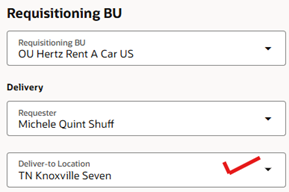
To update: search for the state, city and street number. (Must be in the order).
Select the address, click on update at the bottom right.
Attached is the word document to download for later use.


