


Mass Update for Entered by / Requester on Oracle PO's

Mass update for entered by / requester on Oracle PO's
All requisitioners have access to perform a mass update.
This process works well when the entered-by person or requester entered on a requisition (REQ) or purchase order (PO) needs to be reassigned to a single person. If some POs need to be moved to you and others to different individuals contact the [email protected] to request assistance. We have an automated BOT that can handle those updates.
Below are the steps to follow to perform a mass update.
- You can only update one BU at a time.
- The update must be from Person A to Person B (Last Name, First Name format) for best results us the person’s email.
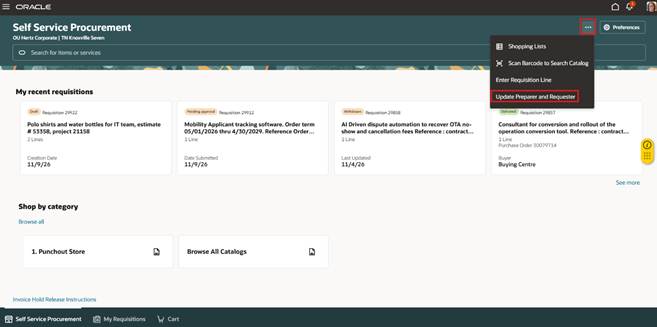
Go to Oracle> Purchase Requisitions> 3 dots next to Preferences (top-right)> Update Preparer and Requester.
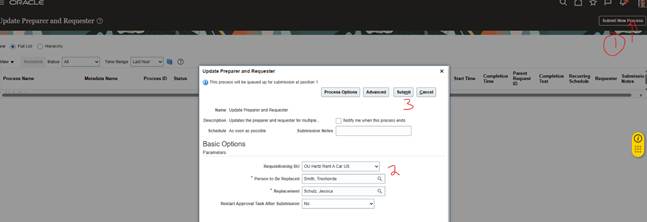
Click on Submit New Process, fill out the Basic Options section including the Requisitioning BU, Person to be replaced name, and Replacements name, then click Submit.
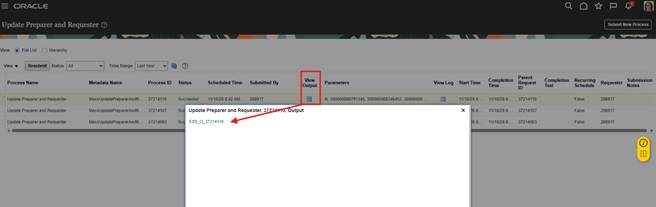
Click the refresh button to see if the request(s) has been processed. Click on the output file to see what was updated.

Click on the hyper link to download the file to get the pdf.
Output file example
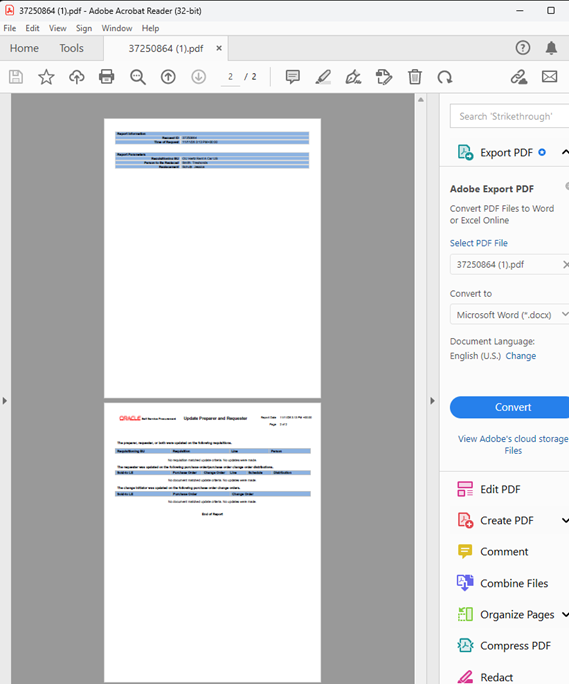
You have successfully Mass Updated the Preparer and Requester to the new employee for this BU. *Please remember this will need to be done for all BU’s individually.*


