


Reassign approval for a requisition or purchase order change
Last updated: Nov 16, 2026
22
views

Reassign approval for a requisition or purchase order change
From email or bell icon, you can reassign a requisition or PO change approver notice to another employee.
Oracle home screen, select the bell icon.
Click on the approval notice.

Select Actions, Reassign
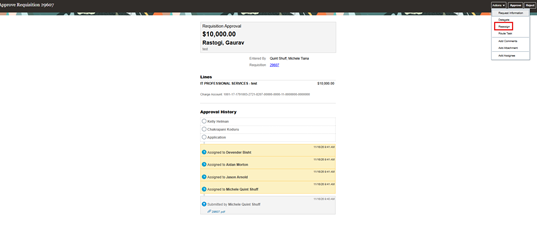
Enter the person name you wish to reassign to, first name, last name or use the email

Select submit

Reassignment is now showing within the approver listing.
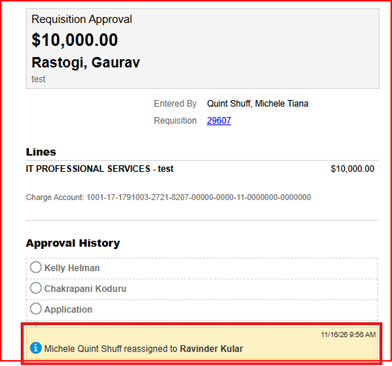
This completes the reassignment of approvers steps.
To download a copy of the guide, see the attached word doc.
Reference guide: REQ PO approval notice viewing to learn how to view approvals from worklist


